

Key Takeaways
Our Verdict
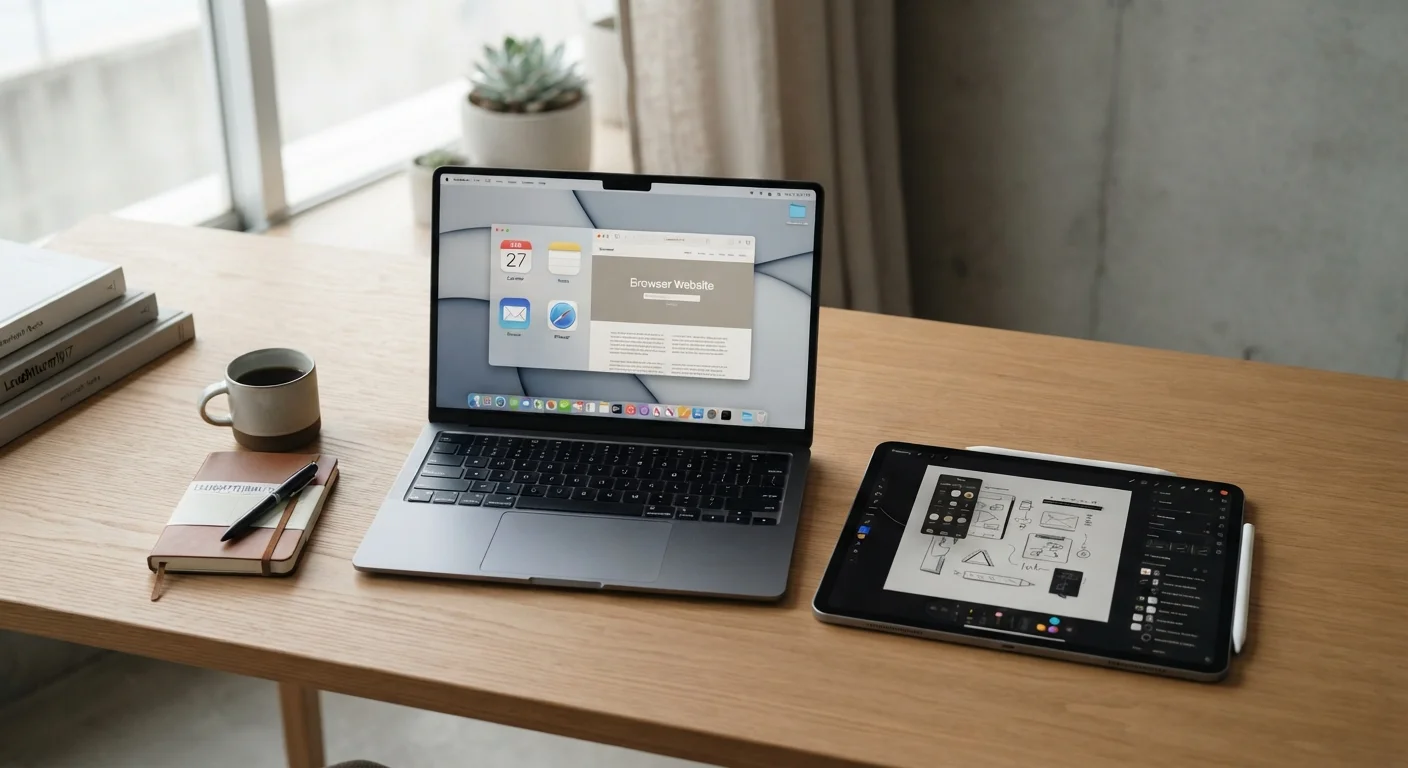
Laptops remain the stronger choice for anyone doing sustained document editing, software-heavy work, or complex file management. Tablets win on portability, battery endurance, and casual consumption. For most everyday users, the decision comes down to how much you type and what software you depend on.
| Best for | Recommended |
|---|---|
| Students, remote workers, and creators needing full software access | Laptop |
| Travelers, readers, and light users who prioritize weight and battery life | Tablet |
| Those who want one device for both note-taking and light productivity | Tablet with keyboard accessory |
How These Devices Have Converged — and Where They Still Differ
A few years ago, the line between tablet and laptop was clear. Today, tablets run powerful processors, support styluses, and pair with physical keyboards. Laptops have gotten thinner and grown touchscreens. Despite the overlap, meaningful differences remain in how each device handles input, software ecosystems, and extended work sessions.
Understanding those differences starts with recognizing what you actually do most often. If you're unsure about technical terms on spec sheets, the spec sheet glossary is a useful reference before comparing models.
| Tablet | Laptop | |
|---|---|---|
| Portability | Lighter, easier to carry one-handed | Heavier, requires a bag or case |
| Typing experience | On-screen or add-on keyboard, less comfortable | Full physical keyboard, more efficient |
| Software depth | Mobile/tablet apps, some limitations | Full desktop applications available |
| Battery life | Often 10–15 hours typical use | Varies widely, often 6–12 hours |
| Multitasking | Limited split-screen options | Multiple windows, more flexible |
| Touch and stylus input | Native, optimized for touch | Limited on most models |
| File management | Simplified, app-based access | Full file system access |
Where Laptops Hold a Clear Advantage
Laptops are built around a physical keyboard and trackpad — an input combination that is significantly faster for sustained typing and precise cursor control. For anyone writing long documents, coding, building spreadsheets, or managing multiple application windows simultaneously, a laptop's traditional form factor is genuinely more efficient.
Software depth is another area where laptops lead. Desktop-class applications — including professional video editors, full creative suites, and engineering tools — are designed for operating systems like Windows and macOS, not mobile platforms. While some tablet apps are capable, they often lack advanced features available in their desktop counterparts.
Match the Device to Your Most Common Task
Before choosing, track what you actually do on a device for a week. If more than half your time involves typing, a laptop will likely serve you better long-term. If you mostly read, watch, browse, or take notes in meetings, a tablet may cover the majority of your needs without the added bulk.
File management also remains more intuitive on a laptop. Organizing folders, working across drives, and handling large file transfers all benefit from the full-featured file systems that desktop operating systems provide.
Where Tablets Genuinely Excel
Tablets are lighter, thinner, and typically offer longer battery life than laptops in comparable price ranges. For commuters, travelers, or anyone who reads, streams, or browses more than they produce, a tablet is often the more practical choice. Holding a device to read is simply more comfortable than propping open a clamshell.
Touch-first interfaces also shine in certain tasks: annotating PDFs, sketching, signing documents, and navigating apps designed specifically for touch. The app ecosystems on major tablet platforms have grown considerably, covering everyday app needs from video calls to note-taking to light photo editing.
Tablets also tend to feel less intrusive in settings like meetings, classrooms, or waiting rooms — situations where opening a laptop can feel cumbersome or out of place.
The Hybrid Question: When One Device Tries to Do Both
Detachable keyboards and 2-in-1 laptops attempt to bridge the gap. These can work well for users with moderate needs in both directions, but trade-offs are real. Keyboard accessories for tablets are often shallower and less comfortable for long typing sessions. Convertible laptops that fold into tablets tend to be heavier than dedicated tablets.
If you're considering a used or refurbished hybrid device, the pre-purchase inspection checklist outlines what to verify before committing. Additionally, you might be surprised how much you can do with devices you already own — see underappreciated device uses for ideas that may delay a new purchase entirely.
~65%
Tablet owners who also own a laptop
Industry research consistently finds that most tablet users keep a laptop as well, suggesting the devices tend to complement rather than replace each other.
2–3 lbs
Typical weight advantage of tablets over laptops
Most consumer tablets weigh under 1.5 lbs, while thin-and-light laptops commonly range from 2.5 to 4 lbs, a meaningful difference for daily commuters.
Display technology is another consideration in this space. Tablets are often used for reading, and screen quality matters — the E-Ink vs. LCD comparison explains how different panel types affect eye strain and readability in various lighting conditions.