

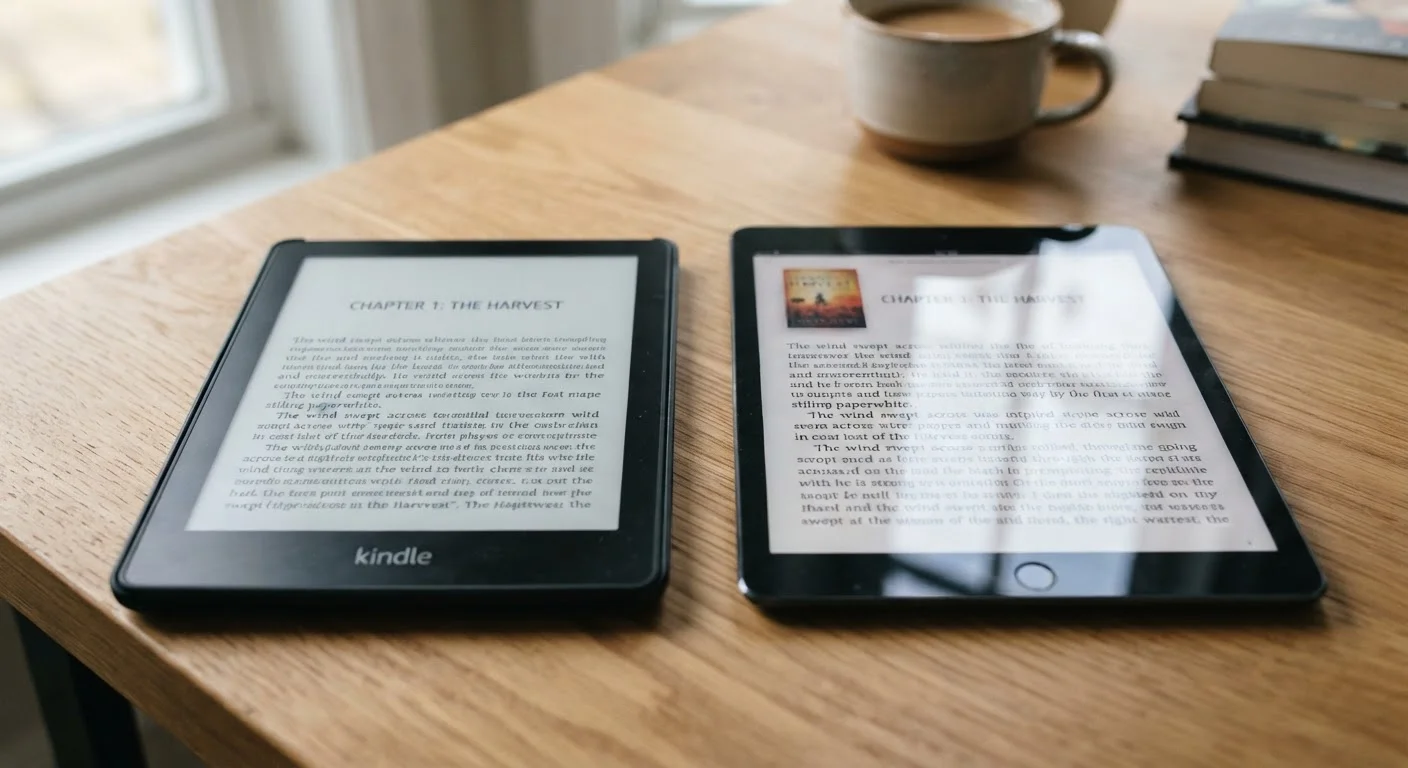
Key Takeaways
Option A
E-Ink Display
The power-sipping, sunlight-friendly reading specialist.
Best for: Dedicated e-readers used primarily for long-form text in varied lighting conditions.
Option B
LCD Display
The versatile, fast-refreshing all-purpose screen.
Best for: Multipurpose tablets and devices where color, video, and interactivity matter as much as reading.
If you read books or long articles for hours at a time
E-Ink Display
Reflected light closely mimics printed paper, reducing eye strain during extended sessions and lasting weeks on a single charge.
If you want one device for reading, streaming, and browsing
LCD Display
LCDs handle color, video, and fast-scrolling content seamlessly, making them the practical choice for multipurpose use.
If you frequently read outdoors or in bright sunlight
E-Ink Display
E-Ink panels remain highly legible in direct sunlight because they reflect rather than emit light, unlike LCDs which can wash out.
If you need a device primarily for children's illustrated books or comics
LCD Display
Full color and fast refresh rates on LCD screens bring illustrated and graphic content to life in a way that most E-Ink panels cannot match.
How Each Technology Actually Works
E-Ink — short for electronic ink — works by suspending tiny charged particles (typically black and white) in microcapsules. When voltage is applied, particles migrate to create visible text or images. Crucially, the screen holds that image without drawing any power until it changes. This is why an E-Ink screen displaying a book page consumes virtually no energy between page turns.
LCD (Liquid Crystal Display) technology works on an entirely different principle. A backlight — usually LED-based — shines through layers of liquid crystals and color filters to produce the image you see. The backlight is always on when the screen is active, which means continuous power draw regardless of what is being displayed.
This foundational difference in how each screen generates its image drives almost every practical trade-off between the two technologies. As you consider which type suits your needs, it helps to look at those trade-offs one by one. For a broader look at managing and getting the most from your devices, see our complete practical guide to consumer electronics ownership.
| Criterion | E-Ink Display | LCD Display |
|---|---|---|
| Power consumption | Very low — no power holding static image | Continuous — backlight always on |
| Battery life (typical device) | Several weeks per charge | 6–12 hours of screen-on time |
| Sunlight readability | Excellent — improves in bright light | Poor to moderate — can wash out |
| Eye strain (long sessions) | Generally lower — reflected light | Higher — direct emitted light |
| Refresh / scroll speed | Slow — visible lag between updates | Near-instant — suitable for video |
| Color accuracy | Grayscale or limited color | Full, vibrant color |
| Best use case | Books, long-form text, outdoors | Media, browsing, multipurpose use |
Battery Life, Eye Strain, and Outdoor Readability
Because E-Ink only uses power when the display changes, dedicated e-readers typically last several weeks on a single charge under normal reading conditions. LCD tablets, by contrast, run their backlights continuously and commonly deliver between six and twelve hours of screen-on time.
Weeks
Typical E-Ink e-reader battery life
Most major e-reader manufacturers cite battery life measured in weeks rather than hours, based on roughly 30 minutes of daily reading with wireless off.
~6–12 hrs
Typical LCD tablet screen-on battery life
Battery performance varies by brightness, workload, and model, but most LCD tablets in active use last under a day on a single charge.
Eye strain is a more subjective but widely reported difference. E-Ink reflects ambient light the way a printed page does, so your eyes are not staring directly into a light source. LCD screens emit light directly toward the viewer, which some users find fatiguing during prolonged reading — particularly in low-light environments where contrast between screen and surroundings is high. Many LCD tablets now offer blue-light filtering modes that partially address this.
Outdoor legibility is a clear win for E-Ink. Because it reflects ambient light rather than competing with it, text on an E-Ink screen becomes more readable in bright sunlight, much like a physical book. LCD screens can wash out significantly outdoors unless brightness is pushed to maximum — which accelerates battery drain further.
Refresh Rate, Color, and Everyday Limitations
E-Ink's biggest practical drawback is its refresh speed. Updating the display requires cycling the particles, which introduces a visible flash and lag — typically a fraction of a second but noticeable when scrolling quickly or navigating menus. This makes E-Ink poorly suited to video playback, fast-paced games, or any interface expecting smooth animation.
Color is another area where LCD maintains a clear advantage. Most consumer E-Ink panels are grayscale or offer limited, muted color. LCD displays reproduce millions of colors with accuracy and vibrancy, which matters for illustrated books, magazines, web browsing, and media consumption.
Color E-Ink Is Evolving
A newer generation of color E-Ink panels — using technologies such as Kaleido — has begun appearing in some e-reader devices. These offer limited but genuine color reproduction while retaining most E-Ink power advantages. Color saturation remains noticeably lower than LCD, and refresh speed is slower still, so they represent a middle ground rather than a full replacement for either technology.
If reading is only one of several things you want a single device to do, an LCD-based tablet is likely the more practical choice. Our comparison of tablets and laptops explores how to match device type to your actual habits across work, play, and reading.